
How to Request Accommodations in AIM
Hey there! Ready to request your accommodations? Awesome. Let’s walk through it step by step—no stress, just a little scrolling and clicking. You’ve got this!
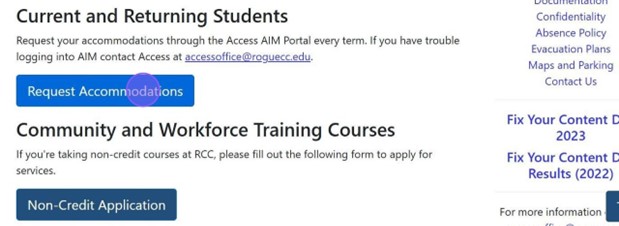
Navigate to the Access website and click on “Request Accommodations “where you’ll use your SSO to log in (that’s your student email + password) - your magical key.
Once inside AIM, scroll down until you see:
“Select Accommodations for Your Classes”
This is your next waypoint!
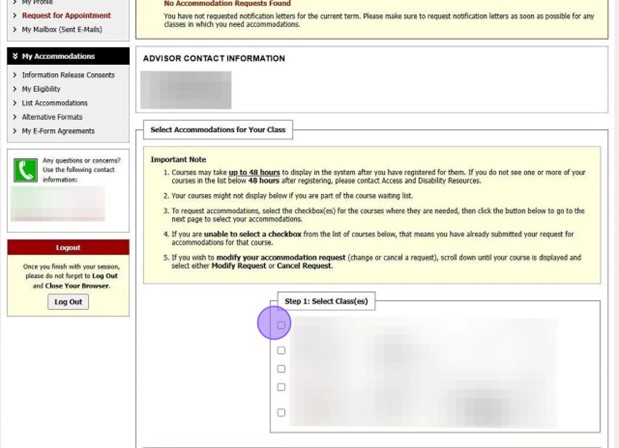
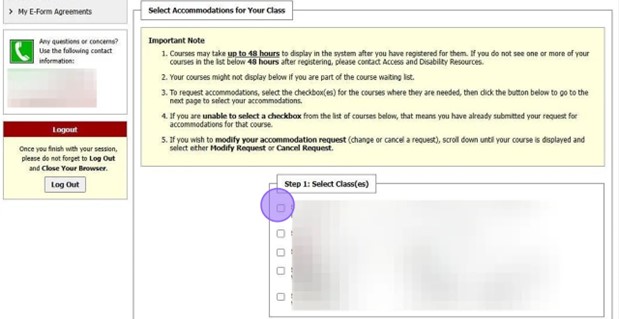
Check the boxes next to the classes you want accommodations for.
Then hit the button that says:
“Step 2 – Continue to Customize Your Accommodations”
It’s your signpost to the next step.
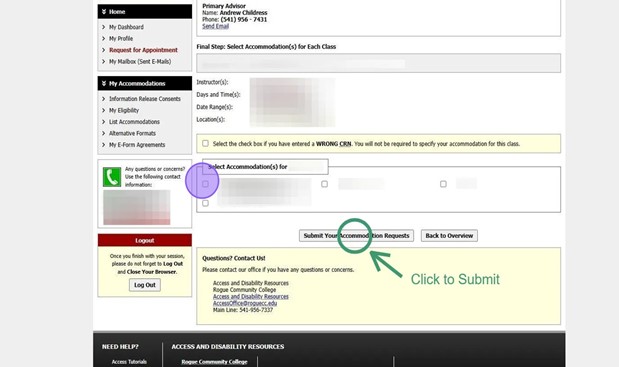
"Select Accommodation(s)" for each class. These are your helpful tools in your academic backpack.
Click “Submit Your Accommodation Requests” to send them on their way.
Done!
You’re all set! You’ve taken a solid step on your college path and we’re here if you need a guide along the way.